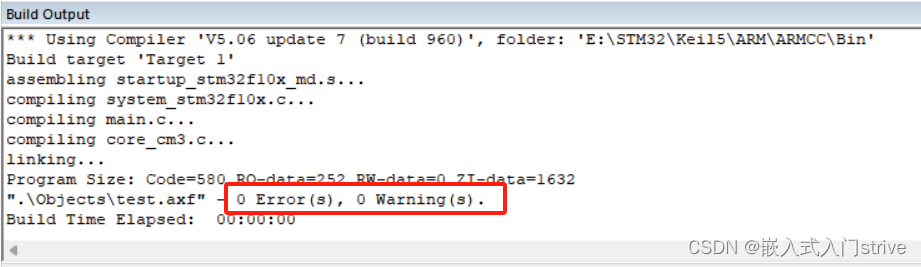
当我们新建一个Keil工程文件进行编译时可能会出现下面报错:
Build started: Project: Project
*** Using Compiler 'V6.22', folder: 'D:\Program Files\Keil_v5\ARM\ARMCLANG\Bin'
Build target 'Target 1'
Start/core_cm3.c(445): error: non-ASM statement in naked function is not supported
  445 |   uint32_t result=0;
      |   ^
Start/core_cm3.c(442): note: attribute is here
  442 | uint32_t __get_PSP(void) __attribute__( ( naked ) );
      |                                           ^
Start/core_cm3.c(465): error: parameter references not allowed in naked functions
  465 |                   "BX  lr     \n\t" : : "r" (topOfProcStack) );
      |                                              ^
Start/core_cm3.c(461): note: attribute is here
  461 | void __set_PSP(uint32_t topOfProcStack) __attribute__( ( naked ) );
      |                                                          ^
Start/core_cm3.c(479): error: non-ASM statement in naked function is not supported
  479 |   uint32_t result=0;
      |   ^
Start/core_cm3.c(476): note: attribute is here
  476 | uint32_t __get_MSP(void) __attribute__( ( naked ) );
      |                                           ^
Start/core_cm3.c(499): error: parameter references not allowed in naked functions
  499 |                   "BX  lr     \n\t" : : "r" (topOfMainStack) );
      |                                              ^
Start/core_cm3.c(495): note: attribute is here
  495 | void __set_MSP(uint32_t topOfMainStack) __attribute__( ( naked ) );
      |                                                          ^
4 errors generated.
compiling core_cm3.c...
compiling system_stm32f10x.c...
compiling main.c...
assembling startup_stm32f10x_md.s...
".\Objects\Project.axf" - 4 Error(s), 0 Warning(s).
Target not created.
Build Time Elapsed:  00:00:01
网上搜索资料发现是因为Core_cm3文件太老旧了,ARM已经停止了对它的维护。如果还想继续使用的话,就得使用旧的编译器了。新版Keil默认编译器是Version 6,我们需要使用Version 5.链接地址在这 提取码:4132
注意:一定要将该软件安装到Keil_v5\ARM文件夹下面,如果安装到其他目录下仍然会报错。
安装安成后进入Keil软件按照下图顺序依次点击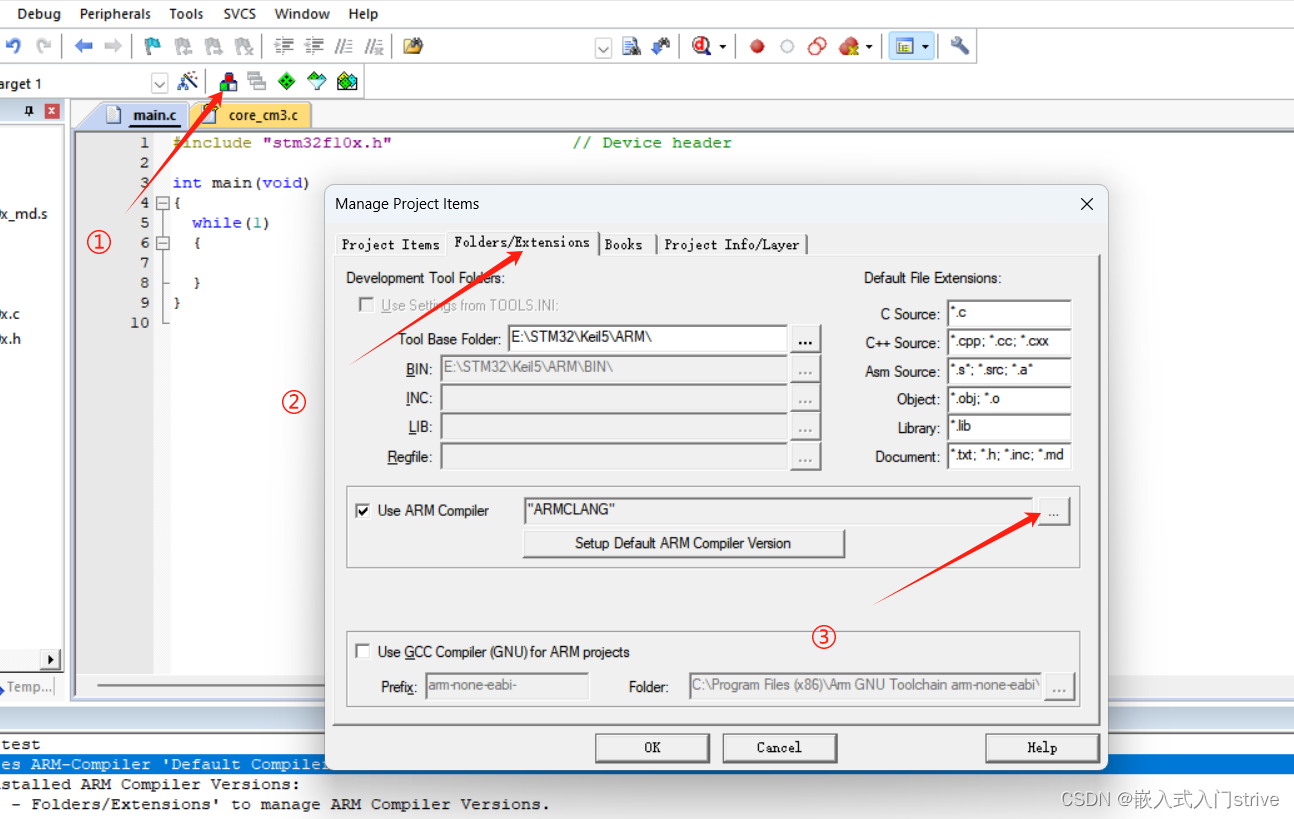
然后点击 Add another ARM Compiler Version to List...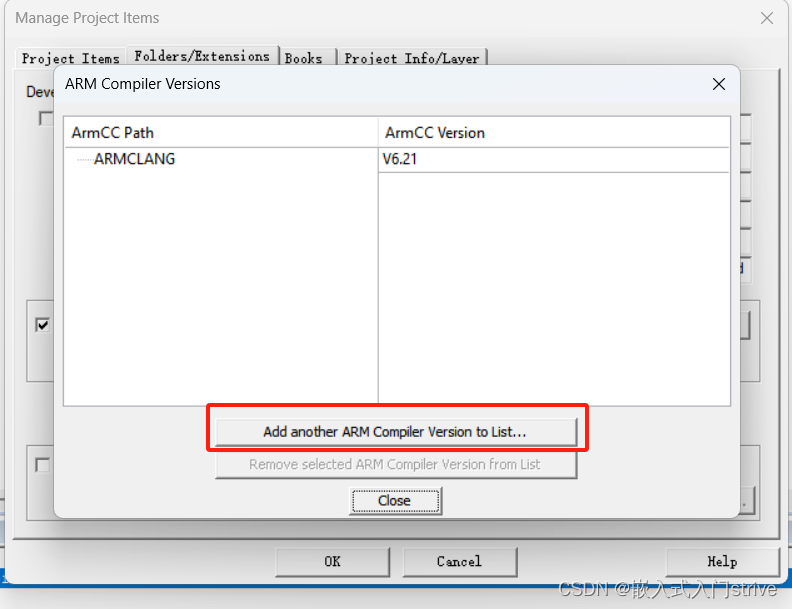
选择\Keil_v5\ARM\ARM_Compiler_5.06u7文件夹,点击确定,会看到下面的内容,然后点击Close,OK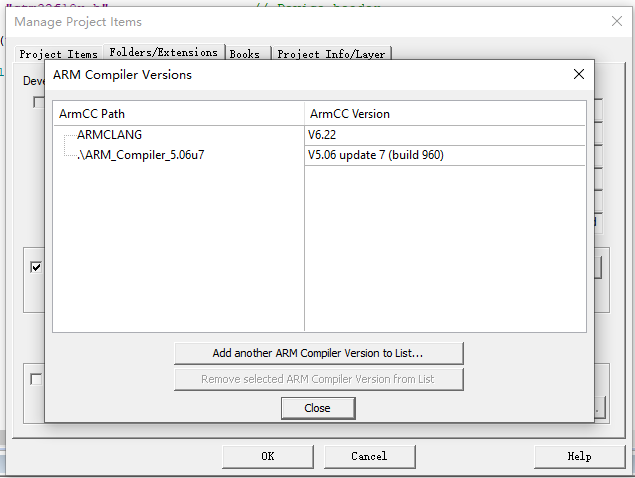
点击 “魔术棒”图标,进入Target页面,可以看到ARM Compiler的选择中多了Version 5,选择Version 5,点击ok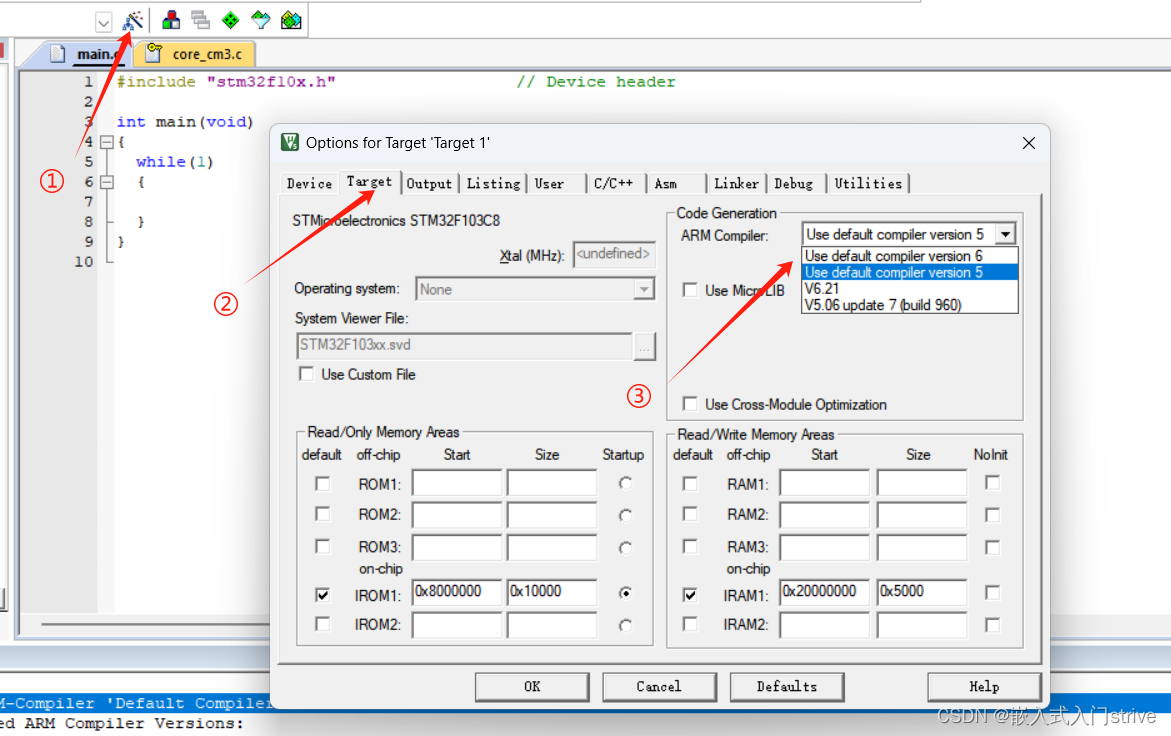
设置完成后,关闭软件重新进入软件就可以正常编译了。